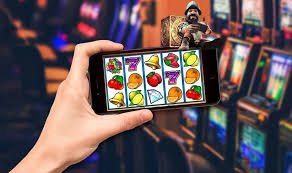
Why Download the App
Why Filipino Players Prefer the 777betgame App Over Mobile Browser
The mobile browser version of 777betgame is perfectly capable — it runs every game, processes every deposit, and handles withdrawals just as efficiently as the app. But after using both options, most Filipino players tend to settle on the native app for daily gaming. The reasons are practical rather than technical.
The biggest difference most players notice is speed. The native app keeps key assets stored locally on your device, which means games load noticeably faster than they do in a browser — especially on older Android phones where browser memory management can slow things down. Fish games in particular benefit from the app's lower input latency, since targeting precision matters and any delay between tap and shot can cause missed catches.
The second major advantage is session continuity. The app keeps you logged in between sessions, so you can pick up exactly where you left off without entering credentials every time. For players who check in across multiple short sessions during the day — during a lunch break in Quezon City, during a commute in Manila, or late at night in Cebu — removing that login friction makes a real difference to how smoothly gaming fits into daily life.
Security Features in the 777betgame Mobile App
Security is something 777betgame takes seriously across all access methods, and the native apps include platform-specific features that strengthen account protection for mobile users. On Android, fingerprint authentication can be set up so that your account is protected by biometric login rather than a saved password alone. On iOS, Face ID performs the same role — a glance confirms your identity and opens your account without requiring you to type anything.
All data transmitted between the app and 777betgame's servers is encrypted with SSL, which is the same standard used by banking apps and financial platforms. This means your account details, payment information, and session data are protected in transit regardless of whether you are on a private home network or a public hotspot at a café in Davao.
OTP verification adds another layer of security. When logging in from a new device or performing sensitive account actions, a one-time passcode is sent to your registered mobile number to confirm your identity. This ensures that even if someone else knows your password, they cannot access your account without physical access to your phone.
What You Can Do in the 777betgame App
The app gives you complete access to everything available on the full 777betgame platform. Game access covers all categories — online slots with hundreds of titles, eBingo rooms with live draws and chat, fish shooting games with multiplayer rooms, and any other game types available through the main game lobby. There is no stripped-down mobile version; the app is the full experience.
Account management is equally complete. You can make deposits through Philippine banking channels and supported e-wallets, check your real-time balance, view transaction history, submit withdrawal requests, and update account settings — all within the app without needing to switch to a browser. KYC verification documents can also be submitted directly through the app, which speeds up the process for players completing verification ahead of their first withdrawal.
Data-saving tip for Filipino players: 777betgame slot and bingo games are generally light on data consumption. For fish shooting games with richer graphics, connecting to WiFi before a longer session is recommended if you are on a mobile data plan with a limited monthly allocation.
Keeping the Android APK Updated
Because the Android version of 777betgame is distributed as a direct APK rather than through the Google Play Store, updates work slightly differently from most apps on your phone. When a new version is released, you will typically receive an in-app notification prompting you to download and install the update. The process mirrors the original installation: download the new APK, tap to install, and your app updates in place without needing to reinstall from scratch or create a new account.
Keeping the app current ensures you have access to the latest game additions, performance improvements, and any security updates the platform rolls out. If you are unsure whether your version is current, checking the app's version number against the download page is a quick way to confirm.
iOS users receive updates automatically through the standard App Store update mechanism — the 777betgame app updates silently in the background when a new version is available, the same as any other app on your iPhone or iPad.
Playing on Both Desktop and Mobile
Your 777betgame account works across all devices simultaneously. If you start a slots session on your desktop in the evening and want to continue on your phone during your morning commute, your balance carries over seamlessly — no separate accounts, no separate balances, no manual syncing required. The same applies in reverse: anything you do on mobile is reflected in real time when you log in on desktop.
This cross-device consistency matters for Filipino players who game across different contexts. A weekend session on a laptop at home might transition to a quick lunch break game on your phone during the work week — and with 777betgame, that transition is invisible. Log in, and everything is exactly where you left it.
21+ Only — Game Responsibly. The 777betgame app is for players aged 21 and above. Easy mobile access makes it important to set session time and budget limits in advance. If gaming becomes something you cannot control, visit our Responsible Gaming page for support tools and guidance.